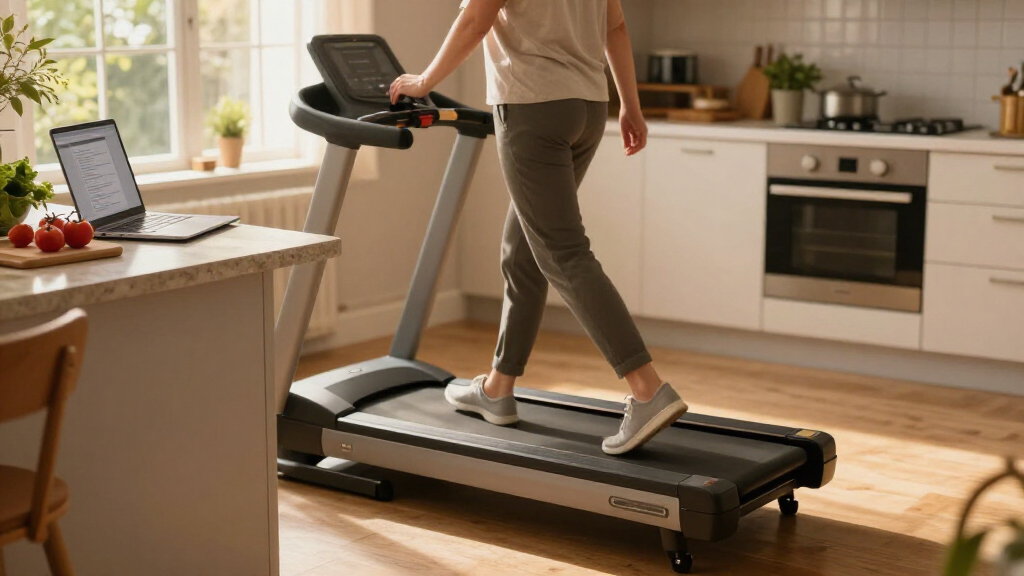

The best under-desk treadmill for most people is the UREVO Smart Under-Desk Walking Pad, while the Abonow Walking Pad suits shoppers who want incline and the UREVO CyberPad stands out for a steeper automatic incline. The main tradeoff is between a simple, low-profile walking surface that fits neatly beneath a desk and a larger, more feature-rich model that can support varied workouts. Capacity, noise, storage, and whether the incline is manual or automatic can matter more to your daily routine than a long feature list. I compare those differences across all 15 options so you can match a walking pad to your workspace, fitness goals, and comfort needs. Read on for the full breakdown and buying advice.

Get kitchen staples and gadgets delivered free with Prime
- Fast, free delivery on millions of items
- Prime Video, Amazon Music and more included
- Member-only deals all year
Complete the kit
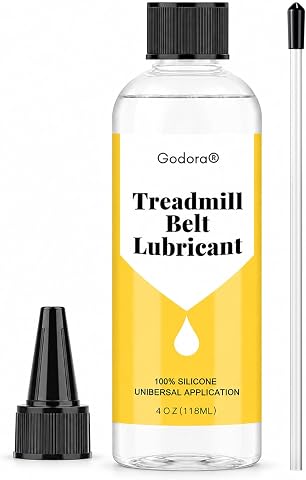
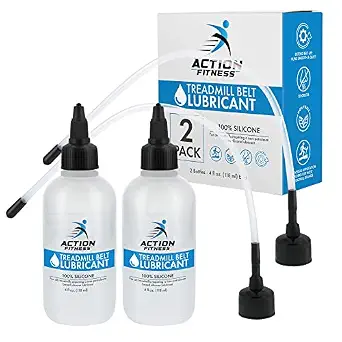

Key Takeaways
- UREVO Smart Under-Desk Walking Pad is my best overall starting point because its smart positioning fits the core desk-walking use case better than models focused mainly on steep incline or handlebar workouts.
- Incline choices are not interchangeable: Abonow and Treaflow offer incline-focused designs, while the UREVO CyberPad and other automatic-incline models are aimed at buyers who want to adjust effort without manually changing the setup.
- High stated weight capacity is a distinct buying signal. The 450 lb-capacity model is the clearest choice in this lineup for shoppers prioritizing that spec, though capacity alone does not tell you how stable or comfortable a treadmill will feel.
- Compactness and versatility pull in different directions. Remote-controlled compact models are better aligned with limited workspaces, while the Terluxra’s foldable design and handlebar suit buyers who want a more traditional walking setup.
- More features can mean more compromises for desk use. Incline, app control, and workout-oriented designs may add versatility, but a buyer who mainly wants to walk while working should prioritize fit under the desk, usable speed controls, and easy storage.
| UREVO Smart Under-Desk Walking Pad Treadmill |  | Best for App-Based Walking | Motor power: 2.5 HP | Speed range: 0.6–4 MPH | Maximum user weight: 265 lb | VIEW LATEST PRICE | See Our Full Breakdown |
| Abonow Walking Pad Under Desk Treadmill with Incline |  | Best for Simple Incline Training | Maximum speed: 4 mph | Maximum incline: 8% | Maximum horsepower: 2.5 hp | VIEW LATEST PRICE | See Our Full Breakdown |
| Treaflow Walking Pad with Incline |  | Best for Quiet, Ready-to-Use Walking | Incline: 0–8% | Motor power: 2.5 HP | Maximum user weight: 265 lbs | VIEW LATEST PRICE | See Our Full Breakdown |
| UREVO CyberPad Smart Walking Pad with 14% Auto Incline |  | Best Premium Auto-Incline Pick | Motor: 2.5 HP brushless | Speed range: 0.5–4 mph | Maximum incline: 14% | VIEW LATEST PRICE | See Our Full Breakdown |
| CHAOKE 4-in-1 Walking Pad Treadmill with 9% Incline |  | Best for Walking and Running Versatility | Speed range: 1–10 km/h (0–6.2 mph) | Incline: 9% manual | Motor: 2.75 HP | VIEW LATEST PRICE | See Our Full Breakdown |
| Compact Walking Pad Treadmill with Remote Control |  | Best for Simple Under-Desk Walking | Speed range: 0.6–4.0 mph | Maximum horsepower: 2.5 hp | Maximum weight recommendation: 265 pounds | VIEW LATEST PRICE | See Our Full Breakdown |
| Gkyet Walking Treadmill Pad with Manual Incline |  | Best for Incline Variety on a Compact Pad | Motor: 2.5 HP | Maximum speed: 5 mph | Maximum user weight: 265 pounds | VIEW LATEST PRICE | See Our Full Breakdown |
| Cybergoing T10 Walking Pad Treadmill with Bosch Motor |  | Best for Higher Weight Capacity in a Rail-Free Design | Motor: Bosch motor | Maximum weight capacity: 300 pounds | Incline: Fixed 7% manual incline | VIEW LATEST PRICE | See Our Full Breakdown |
| UREVO Smart Treadmill with 11% Incline and App Control |  | Best for Walking and Running Versatility | Speed range: 0.6–6.2 mph | Walking mode speed: 0.6–4 mph | Maximum incline: 11% | VIEW LATEST PRICE | See Our Full Breakdown |
| THERUN Under Desk Walking Pad Treadmill |  | Best Lightweight Pick for Desk Walking | Motor: 2.5 HP | Speed range: 0.6–3.8 mph | Maximum weight recommendation: 265 pounds | VIEW LATEST PRICE | See Our Full Breakdown |
| Walking Pad Treadmill with 12% Auto Incline |  | Best for Cushioning and Guided Workouts | Incline: 0–12%, 9 levels | Motor: 2.5 HP | Weight capacity: 450 lbs | VIEW LATEST PRICE | See Our Full Breakdown |
| Walking Pad Treadmill with 12% Auto Incline, 450 lb Capacity, and Under-Desk Design |  | Best for Clearly Specified Speed and Storage | Maximum user weight: 450 lbs | Auto incline: 12%, 9 levels | Maximum speed: 5.0 MPH | VIEW LATEST PRICE | See Our Full Breakdown |
| Walking Pad Treadmill with 15% Auto Incline |  | Best for Stronger Incline Workouts | Incline: 15% automatic, 9 levels | Motor: 3.0 HP brushless | Weight capacity: 300 lbs | VIEW LATEST PRICE | See Our Full Breakdown |
| Compact Under-Desk Walking Pad Treadmill with Remote |  | Best for Small Spaces | Motor: 2.5 HP (500+ W) | Speed range: 1–6 km/h | Weight capacity: 120 kg (264 lbs) | VIEW LATEST PRICE | See Our Full Breakdown |
| Terluxra Foldable Walking Pad Treadmill with Handle Bar |  | Best for Walking-to-Jogging Flexibility | Motor: 2.0 HP | Walking speed mode: 0.6–1.5 MPH | Jogging speed mode: 1.5–2.5 MPH | VIEW LATEST PRICE | See Our Full Breakdown |
| under-desk treadmill | Motor | Speed range |
|---|---|---|
| UREVO Smart Under-Desk Walking | — | 0.6–4 MPH |
| Abonow Walking Pad Under Desk | — | — |
| Treaflow Walking Pad with Incl | — | — |
| UREVO CyberPad Smart Walking P | 2.5 HP brushless | 0.5–4 mph |
| CHAOKE 4-in-1 Walking Pad Trea | 2.75 HP | 1–10 km/h (0–6.2 mph) |
| Compact Walking Pad Treadmill | — | 0.6–4.0 mph |
| Gkyet Walking Treadmill Pad wi | 2.5 HP | — |
| Cybergoing T10 Walking Pad Tre | Bosch motor | 0.6–4 mph |
| UREVO Smart Treadmill with 11% | — | 0.6–6.2 mph |
| THERUN Under Desk Walking Pad | 2.5 HP | 0.6–3.8 mph |
| Walking Pad Treadmill with 12% | 2.5 HP | — |
| Walking Pad Treadmill with 12% | 2.5 HP, described as quiet | — |
| Walking Pad Treadmill with 15% | 3.0 HP brushless | 0.6–5.0 MPH |
| Compact Under-Desk Walking Pad | 2.5 HP (500+ W) | 1–6 km/h |
| Terluxra Foldable Walking Pad | 2.0 HP | — |
More Details on Our Top Picks
UREVO Smart Under-Desk Walking Pad Treadmill
The UREVO Smart Under-Desk Walking Pad is a strong fit for buyers who want walking to feel more engaging without adding a bulky treadmill to their workspace. Its app tracks steps, distance, calories, and time, while virtual routes and preset programs give it more guided activity options than the Abonow Walking Pad Under Desk Treadmill with Incline, which emphasizes incline training instead. The 5-layer belt and dual shock absorption are aimed at a more cushioned walk, and built-in wheels make it easier to move aside after work. The tradeoff is a walking-focused top speed of 4 mph, so it is not the pick for running. Buyers who want a more demanding workout may prefer the CHAOKE 4-in-1 Walking Pad, which reaches 6.2 mph, though it lacks this model’s app-based route features.
Pros:- App tracks steps, distance, calories, and workout time
- Virtual routes, preset programs, and walking competitions add guided variety
- Five-layer belt with eight silicone shock absorbers and two soft rubber pads
- Compact profile and built-in wheels support easier storage
Cons:- Maximum speed of 4 mph limits it to walking rather than running
- App features depend on Bluetooth connectivity and may be unnecessary for buyers who want simple controls
Best for: Home-office walkers who want app tracking, guided virtual routes, and a compact pad they can move away between work sessions
Not ideal for: Runners or buyers who want incline-based training, since this model tops out at 4 mph and has no incline listed
- Motor power:2.5 HP
- Speed range:0.6–4 MPH
- Maximum user weight:265 lb
- Walking belt dimensions:35.43 × 15 in
- Profile height:4.1 in
- Belt construction:5-layer belt
- Shock absorption:8 silicone shock absorbers and 2 soft rubber pads
- Controls and connectivity:LED display, remote control, app, and Bluetooth
Our verdict“Choose this UREVO if app-guided walking and compact storage matter more than incline work or running speed.”
Abonow Walking Pad Under Desk Treadmill with Incline
The Abonow makes the most sense for desk workers who want a manual 8% incline without moving up to a more specialized or app-heavy machine. That added slope gives a walk more training variety than the flat UREVO Smart Under-Desk Walking Pad, while its 0.5–4 mph range remains suited to steady walking and light jogging. A remote control and LED display keep operation straightforward, and the shock-absorbing belt is designed for home or office use. It does not match the Treaflow Walking Pad with Incline’s stated noise figure of under 45 dB, so buyers with very noise-sensitive workspaces may prefer that clearer specification. Storage is the bigger compromise here: this model is not foldable, and its corded power connection limits where it can be placed.
Pros:- Manual incline adjusts up to 8% for more varied walking effort
- Three operating modes cover walking, jogging, and working
- Remote control allows speed changes without reaching for the display
- Five-layer anti-slip belt with silicone shock absorbers
Cons:- Not foldable, so it needs a dedicated storage spot
- Corded power limits placement flexibility
- Maximum speed of 4 mph does not suit running
Best for: Desk workers who want a straightforward walking pad with manual incline and remote speed adjustment
Not ideal for: People with limited storage space or work areas far from an outlet, because the unit does not fold and uses corded power
- Maximum speed:4 mph
- Maximum incline:8%
- Maximum horsepower:2.5 hp
- Weight capacity:265 lbs
- Display:LED
- Power source:Corded electric
- Belt construction:5-layer anti-slip belt with silicone shock absorbers
- Metrics measured:Calories burned, distance, speed, and time
Our verdict“Pick the Abonow for simple incline walking if you have a fixed place to use and store it.”
Treaflow Walking Pad with Incline
For buyers who want an incline pad with a clearly stated low operating-noise figure and no assembly task, the Treaflow is the more practical choice. It offers 0–8% incline and a 2.5 HP motor, much like the Abonow, but its listed noise level of under 45 dB and pre-assembled setup make the ownership details easier to judge before buying. The screen reports speed, distance, time, and calories, while six shock absorbers and front wheels cover basic comfort and repositioning. Unlike the UREVO Smart Under-Desk Walking Pad, it does not list Bluetooth app routes or connected tracking, so it is better for uncomplicated workouts than digital engagement. Its 265 lb capacity is also a firm limit, and the supplied details do not establish a running-speed range.
Pros:- Adjustable incline from 0% to 8%
- Operating noise is specified as less than 45 dB
- Pre-assembled setup avoids installation work
- Tracks speed, distance, time, and calories and has two front transport wheels
Cons:- Maximum supported user weight is 265 lbs
- No app connectivity or virtual-route features are listed
- Supplied product data does not state a speed range
Best for: Home-office users who want an incline walking pad that arrives assembled and has a stated noise specification
Not ideal for: Buyers above the 265 lb user limit or those who want app connectivity, virtual routes, or documented running speeds
- Incline:0–8%
- Motor power:2.5 HP
- Maximum user weight:265 lbs
- Operating noise:Less than 45 dB
- Display metrics:Speed, distance, time, and calories
- Shock absorbers:6
- Setup:Pre-assembled; no installation required
- Mobility:2 front wheels
Our verdict“Choose the Treaflow if quiet, ready-to-use incline walking matters more than connected features or a higher stated capacity.”
UREVO CyberPad Smart Walking Pad with 14% Auto Incline
The CyberPad stands apart from the other incline models here by pairing automatic adjustment up to 14% with app connectivity. That wider incline range offers a more substantial change in walking effort than the Abonow and Treaflow, both of which top out at 8% and use manual adjustment. Its Bluetooth link to the UREVO Fitness App adds workout tracking and virtual routes, while a brushless 2.5 HP motor is designed for quiet operation. The tradeoff is that the 4 mph ceiling still makes this a walking treadmill, not a running option like the CHAOKE 4-in-1. Capacity is also lower than several peers at 242 lbs. At 63 lbs, it is not especially light to move, despite its compact under-desk format.
Pros:- Automatic incline reaches 14%, more than the 8% Abonow and Treaflow
- Bluetooth app offers workout tracking and virtual routes
- Brushless 2.5 HP motor is designed for quiet operation
- 46.8 × 19.3 in deck provides a stated walking surface dimension
Cons:- Maximum speed of 4 mph is limited to walking
- 242 lb maximum user weight is lower than the 265 lb capacity of several alternatives
- Listed weight of 63 lbs may make frequent repositioning inconvenient
Best for: Walkers seeking automatic incline changes, app-based tracking, and a more challenging walking workout
Not ideal for: Users over 242 lbs, runners, or anyone who needs a very lightweight treadmill to move frequently
- Motor:2.5 HP brushless
- Speed range:0.5–4 mph
- Maximum incline:14%
- Maximum user weight:242 lbs
- Deck dimensions:46.8 × 19.3 in
- Folded height:4.8 in
- Weight:63 lbs
- Connectivity:Bluetooth with UREVO Fitness App
Our verdict“Choose the CyberPad if automatic incline and app features are worth the lower capacity and walking-only speed.”
CHAOKE 4-in-1 Walking Pad Treadmill with 9% Incline
The CHAOKE is the outlier in this group for buyers who want more than a desk-paced walk: its 1–6.2 mph speed range supports walking, jogging, and running, while the other four picks stop at 4 mph or do not list a higher maximum. It also pairs a 9% manual incline with 12 preset programs, giving workouts more structure than the simpler Abonow. The stated 330 lb capacity is the highest among these five products, and it arrives assembled with wheels for storage. That versatility comes with a narrower 38 cm belt, which may feel less forgiving during faster movement. Its incline is manual, unlike the UREVO CyberPad’s automatic system, so changes require stopping to adjust rather than selecting a setting electronically.
Pros:- Speed range up to 6.2 mph supports walking, jogging, and running
- 330 lb weight capacity is higher than the other four products in this batch
- Includes 12 preset workout programs and a magnetic safety key
- Arrives fully assembled and has transport wheels
Cons:- Belt is relatively narrow at 38 cm
- 9% incline is manual rather than automatic
- Faster speeds may be less suitable for active under-desk use
Best for: Buyers who want one compact treadmill for desk walking and faster workouts, with a higher listed capacity than the other picks here
Not ideal for: Users who need a wider running surface, automatic incline changes, or a treadmill intended to stay under a desk during use
- Speed range:1–10 km/h (0–6.2 mph)
- Incline:9% manual
- Motor:2.75 HP
- Noise level:Under 40 dB
- Weight capacity:330 lbs
- Belt size:95 × 38 cm
- Workout programs:12 preset programs
- Assembly:Fully assembled
- Warranty:36 months
Our verdict“Choose the CHAOKE if workout versatility and capacity matter more than a wider belt or automatic incline.”
Compact Walking Pad Treadmill with Remote Control
For a straightforward walking setup, this pad keeps the controls and footprint uncomplicated. Its 0.6–4.0 mph range covers gentle movement while working, and the remote lets you change speed or pause without reaching for the display. At 40 × 19.2 inches, it is compact enough to move and store with its transport wheels, though it still needs a nearby outlet.
Compared with the Gkyet Walking Treadmill Pad, this model gives up the higher 5 mph ceiling and manual incline, so it is less suited to varied or brisker workouts. In return, its no-assembly setup and cushioning keep the routine easy to start. The 265-pound recommendation and walking-focused top speed set clear limits: choose it for desk walking, not running or incline training.
Pros:- No assembly required, so it is ready for use after setup in the room
- Remote control adjusts speed and pauses the belt
- Transport wheels and compact dimensions make moving and storage easier
- Cushioned anti-slip belt and LED metrics support routine walking
Cons:- 4.0 mph maximum speed is limiting for jogging or running
- Requires access to a corded power outlet
- 265-pound maximum recommendation may not suit every household
Best for: Remote workers who want an easy-to-store walking pad for steady, low-intensity movement during desk hours.
Not ideal for: People seeking jogging speeds, incline workouts, or a treadmill that can be used away from a power outlet.
- Speed range:0.6–4.0 mph
- Maximum horsepower:2.5 hp
- Maximum weight recommendation:265 pounds
- Dimensions:40 × 19.2 × 4.1 inches
- Display metrics:Time, speed, distance, and calories
- Material:Carbon steel
- Power source:Corded electric
- Assembly:No assembly required
Our verdict“Choose this pad for uncomplicated desk walking and easy storage, but pick the Gkyet if you want a manual incline and a higher speed ceiling.”
Gkyet Walking Treadmill Pad with Manual Incline
The Gkyet stands out among these compact pads by adding a manual incline and a 5 mph maximum speed. That extra range gives walkers room to pick up the pace, while the incline can add effort without requiring a larger treadmill. Its remote and LED display keep basic adjustments and workout information within reach, and transport wheels help with storage.
Compared with the Compact Walking Pad Treadmill with Remote Control, the Gkyet offers more speed headroom and hill walking, but its 43.1-inch length takes up more floor space. The incline is manual, so it must be set before use rather than adjusted during a session. It suits people who want more variation than flat desk walking, but 5 mph is still not a fast-running specification, and the product data does not list a belt size.
Pros:- Manual incline adds a hill-walking option
- 5 mph maximum gives more speed headroom than several walking-only pads
- Remote control and LED display make basic operation convenient
- Transport wheels and a slim profile support storage between sessions
Cons:- Incline must be set manually before walking
- Maximum speed is still limited for faster running
- At 43.1 inches long, it is longer than the Compact Walking Pad Treadmill with Remote Control
Best for: Home-office walkers who want occasional incline sessions and a faster walking pace without moving to a full-size treadmill.
Not ideal for: Users who need incline changes during a workout, faster running, or a very short storage footprint.
- Motor:2.5 HP
- Maximum speed:5 mph
- Maximum user weight:265 pounds
- Incline:Manual
- Dimensions:43.1 × 16.6 × 4.6 inches
- Display:LED
- Control:Remote control
- Warranty:1 year
Our verdict“Pick the Gkyet if incline walking matters more than a minimal footprint or on-the-fly incline adjustment.”
Cybergoing T10 Walking Pad Treadmill with Bosch Motor
The T10’s clearest advantage is its 300-pound capacity, higher than the 265-pound recommendations on the Compact Walking Pad and THERUN models here. Its rail-free design keeps the unit suited to under-desk use, while app and remote controls offer two ways to manage a walking session. A fixed 7% incline makes each walk more demanding than a flat pad, without adding a moving incline mechanism.
That incline is also the main compromise: it is set manually and remains fixed during use, so this is not the pick for switching between flat walking and hills. The 15 × 36-inch belt is relatively short, and the 4 mph cap keeps the T10 in walking territory. Compared with the UREVO Smart Treadmill, it sacrifices running speed and adjustable incline, but offers a simpler rail-free format and a higher listed capacity.
Pros:- 300-pound maximum capacity exceeds several other pads in this lineup
- Fixed 7% incline adds challenge without a larger treadmill frame
- App and remote controls give users more than one way to operate it
- Compact, rail-free design is aimed at home and desk use
Cons:- Incline is fixed and must be set manually before use
- 4 mph maximum is suited to walking rather than running
- 36-inch belt length may feel restrictive to users with a longer stride
Best for: Under-desk users who prioritize a higher listed weight capacity and want a built-in incline for walking.
Not ideal for: People who want a flat option, adjustable incline during a session, a longer belt, or running speeds.
- Motor:Bosch motor
- Maximum weight capacity:300 pounds
- Incline:Fixed 7% manual incline
- Speed range:0.6–4 mph
- Belt dimensions:15 × 36 inches
- Controls:App and remote
- Design:Compact, rail-free
- Warranty:12 months
Our verdict“Choose the T10 for rail-free walking with a higher listed capacity, provided its fixed incline and short belt fit your routine.”
UREVO Smart Treadmill with 11% Incline and App Control
Among these five picks, the UREVO is the clearest choice for someone who wants more than desk walking. It reaches 6.2 mph and offers an 11% maximum incline, giving it a wider workout range than the 4 mph Cybergoing T10 or THERUN pad. Bluetooth app tracking, including Apple Health and Google Fit syncing, adds a useful record of activity, while folding and transport wheels help with storage.
The tradeoff is a more workout-oriented package rather than the simplest under-desk option. Its 36 × 15-inch running deck remains compact, which can constrain stride comfort, and the 265-pound limit is lower than the T10’s listed capacity. At 43 pounds, it is also heavier than the THERUN. Choose this model when running capability and incline matter; for steady desk walking in a lighter package, the THERUN is the more focused alternative.
Pros:- 6.2 mph maximum speed supports running as well as walking
- 11% maximum incline offers more workout range than fixed-incline walking pads
- App tracks workouts and syncs with Apple Health and Google Fit
- Folding design and transport wheels help with storage
Cons:- 36 × 15-inch deck may feel short or narrow for running
- 265-pound maximum user weight is lower than the Cybergoing T10’s 300-pound capacity
- At 43 pounds, it is heavier than the THERUN pad
Best for: Buyers who want one compact treadmill for desk walking, incline sessions, and occasional running, with app-based activity tracking.
Not ideal for: Users who need a longer or wider running deck, a higher weight capacity, or the lightest pad to move frequently.
- Speed range:0.6–6.2 mph
- Walking mode speed:0.6–4 mph
- Maximum incline:11%
- Motor power:2.25 hp
- Maximum user weight:265 pounds
- Weight:43 pounds
- Running deck:36 × 15 inches
- Connectivity:Bluetooth
- Warranty:12 months
Our verdict“Choose the UREVO if you need running speed and adjustable incline in a compact folding treadmill, and can work with its narrow deck.”
THERUN Under Desk Walking Pad Treadmill
At 34.4 pounds, the THERUN is the lightest option in this group with a listed item weight, which makes it a practical fit for buyers who need to move a pad between rooms. It arrives assembled and uses transport wheels, so setup and repositioning are simpler than with a bulkier treadmill. The five-layer anti-slip belt with silicone shock absorption is aimed at steady walking and light jogging, while the remote and smart LED display cover basic controls and metrics.
Its 3.8 mph ceiling is lower than the Compact Walking Pad’s 4 mph and well below the UREVO Smart Treadmill’s 6.2 mph, so this is a walking-first choice rather than a running substitute. The 35.5-inch belt is also short, and the listed weight recommendation is 265 pounds. Choose it for portable desk walking; skip it if stride room, incline, or a higher workout pace matters more.
Pros:- 34.4-pound item weight makes it easier to reposition than the 43-pound UREVO
- Arrives assembled and includes transport wheels
- Five-layer anti-slip belt with silicone shock absorption
- Remote control and smart LED display support convenient operation
Cons:- 3.8 mph maximum speed is lower than the Compact Walking Pad’s 4 mph
- 35.5-inch belt may limit comfort for longer strides
- No incline is listed, and the maximum weight recommendation is 265 pounds
Best for: Remote workers who want a lighter, ready-to-use pad that can be moved between rooms for walking and occasional light jogging.
Not ideal for: Runners, users wanting incline options, or walkers who need a longer belt or capacity above 265 pounds.
- Motor:2.5 HP
- Speed range:0.6–3.8 mph
- Maximum weight recommendation:265 pounds
- Running belt:35.5 × 15 inches
- Dimensions:41.9 × 19.6 × 4.17 inches
- Item weight:34.4 pounds
- Material:Alloy steel
- Warranty:1 year
Our verdict“Pick the THERUN for lighter, low-fuss desk walking, but choose the UREVO if you need incline or running speeds.”
Walking Pad Treadmill with 12% Auto Incline
The double-deck cushioning and FitYo coaching give this walking pad a more workout-focused feel than a basic flat walking pad. Its nine incline settings reach 12%, so I’d shortlist it for desk walkers who want to add uphill effort without moving to a separate cardio machine. The 450 lb capacity is also higher than the Terluxra’s 242 lb limit, while Bluetooth audio and more than 100 coach-led courses offer ways to structure a session.
That feature set comes with some unanswered fit questions: the supplied details omit both dimensions and maximum speed, making it harder to judge desk clearance and pace range. Compared with the other 12% model in this group, B0D9JXDQ2T, this one spells out its cushioning and app course library, but the other listing specifies a 5.0 MPH maximum and transport wheels. I’d choose this pick for guided, cushioned walking, not if speed and storage details are priorities.
Pros:- Nine-level automatic incline reaches 12% for more varied walking sessions
- 450 lb stated weight capacity
- Double-deck structure, silicone absorbers, and a five-layer anti-slip belt
- Bluetooth audio, FitYo app access with coach-led courses, and a three-year warranty
Cons:- Maximum speed and product dimensions are not provided
- The incline and coaching features may be unnecessary for buyers seeking a simple, flat walking pad
Best for: Desk workers who want incline walking, substantial cushioning, and app-based coaching, and who can confirm the treadmill will fit their workspace.
Not ideal for: Buyers who need a stated speed range or exact dimensions before choosing, or who prioritize easy storage over guided workout features.
- Incline:0–12%, 9 levels
- Motor:2.5 HP
- Weight capacity:450 lbs
- Cushioning:Double-deck structure with 4 silicone absorbers
- Belt:5-layer anti-slip belt
- Display:RGB LED; speed, calories, time, distance, and incline level
- Connectivity:Bluetooth audio and FitYo app
- Warranty:3 years
Our verdict“Choose this model for cushioned incline walks and guided sessions, provided its unspecified dimensions and speed range suit your setup.”
Walking Pad Treadmill with 12% Auto Incline, 450 lb Capacity, and Under-Desk Design
A stated 5.0 MPH ceiling and built-in transport wheels make this 12% incline model easier to evaluate as a practical home-office fit. It matches the 450 lb capacity and nine incline levels of B0D6BFMNN5, but adds a specified speed range endpoint and a clearer storage advantage. The 2.5 HP motor is described as quiet, which may matter when walking near coworkers or during calls.
The tradeoff is less certainty about connected features: Bluetooth and FitYo support vary by batch, so I wouldn’t choose it assuming every unit includes app access. Compared with the 15% incline model B0H32VC5PJ, this one offers a higher stated capacity but less incline, while its dimensions and belt cushioning are not detailed in the supplied specifications. Sensor-based calorie estimates are also best treated as rough tracking, not precise measurement. This pick suits buyers who value capacity, incline, and easier moving more than consistent app features.
Pros:- 450 lb stated maximum user weight
- Nine-level automatic incline up to 12%
- Specified maximum speed of 5.0 MPH
- Built-in transport wheels, three-year warranty, and 24/7 support
Cons:- Bluetooth and FitYo app support vary by batch
- Dimensions and cushioning details are not specified
- Calorie readings are sensor-based estimates
Best for: Home-office users who want a high-capacity walking pad with adjustable incline, a stated 5.0 MPH top speed, and wheels for moving it between uses.
Not ideal for: Buyers who need guaranteed app connectivity, detailed deck dimensions, or a higher incline than 12%.
- Maximum user weight:450 lbs
- Auto incline:12%, 9 levels
- Maximum speed:5.0 MPH
- Motor:2.5 HP, described as quiet
- Connectivity:Bluetooth; FitYo app support on select batches
- Storage:Built-in transport wheels
- Warranty:3 years
- Support:24/7 support
Our verdict“Pick this 12% incline model if capacity and wheeled storage matter more than guaranteed app access or fully specified deck details.”
Walking Pad Treadmill with 15% Auto Incline
The 15% automatic incline is the standout here, exceeding the 12% ceiling on both B0D6BFMNN5 and B0D9JXDQ2T. With nine incline levels and a 0.6–5.0 MPH range, it gives walkers room to adjust effort while staying within a compact under-desk format. The 3.0 HP brushless motor and seven-layer shock-absorbing belt add appeal for buyers who want a more cushioned routine, and built-in wheels help when the pad needs to be stored away.
Its tradeoff is capacity: at 300 lbs, it falls well below the 450 lb ratings of those two 12% alternatives. The 40.5 × 16-inch running surface is also narrower than the full 49.2 × 19-inch footprint, a distinction worth checking if you prefer more side-to-side room. Although its top speed matches B0D9JXDQ2T, the added incline—not faster movement—is the reason to choose it. I’d favor this model for compact, hill-focused walking, not for buyers who need the highest capacity.
Pros:- 15% automatic incline with nine levels
- 0.6–5.0 MPH speed range
- 3.0 HP brushless motor and seven-layer shock-absorbing belt
- Built-in wheels support easier storage
Cons:- 300 lb capacity is lower than the 450 lb ratings of the two 12% alternatives
- 40.5 × 16-inch running surface may feel narrow to some walkers
- Maximum speed of 5.0 MPH limits faster running
Best for: Walkers who want a steeper adjustable incline and cushioning in a compact machine, and whose body weight is within its 300 lb capacity.
Not ideal for: Buyers who need a 450 lb capacity, a wide walking surface, or speeds above 5.0 MPH.
- Incline:15% automatic, 9 levels
- Motor:3.0 HP brushless
- Weight capacity:300 lbs
- Speed range:0.6–5.0 MPH
- Dimensions:49.2 × 19.0 × 6.2 in
- Running surface:40.5 × 16 in
- Belt:7-layer shock-absorbing
- Connectivity and display:Bluetooth speaker and fitness app; LED display tracks speed, distance, time, and calories
Our verdict“Choose this model for the group’s steepest specified incline and a cushioned walk, if its 300 lb capacity and narrower belt fit your needs.”
Compact Under-Desk Walking Pad Treadmill with Remote
Compact dimensions, ready-to-use assembly, and a 16 kg listed weight make this the clearest small-space choice in the group. At 109 × 50 × 11 cm, it is easier to plan around than the incline models, which have either larger listed footprints or missing dimensions. The remote lets you adjust speed without reaching for controls on the deck, while transport wheels help move it out of the way after work.
This is a walking-focused alternative to the Terluxra, which offers modes up to 4 MPH; this pad tops out at 6 km/h, so it is not the choice for jogging or running. Its 38.5 × 94 cm walking area is also relatively narrow, and the 120 kg capacity is lower than the 450 lb ratings on B0D6BFMNN5 and B0D9JXDQ2T. There is no incline feature listed. I’d pick it for straightforward walking in a tight room, not for varied or higher-intensity workouts.
Pros:- Compact 109 × 50 × 11 cm dimensions and approximately 16 kg weight
- Ready to use without assembly
- Remote control and LED workout display
- Transport wheels and a five-layer anti-slip belt
Cons:- Maximum speed of 6 km/h keeps it to walking
- 38.5 × 94 cm walking area may feel narrow
- No incline feature is specified
Best for: Apartment residents and office workers who need a light, no-assembly walking pad that can be moved and stored between sessions.
Not ideal for: People who want incline training, jogging speeds, a wider walking area, or capacity comparable to the 450 lb models.
- Motor:2.5 HP (500+ W)
- Speed range:1–6 km/h
- Weight capacity:120 kg (264 lbs)
- Dimensions:109 × 50 × 11 cm
- Weight:Approximately 16 kg
- Walking area:38.5 × 94 cm
- Belt:5-layer anti-slip belt with diamond texture
- Controls and display:Remote control; LED display tracks speed, distance, time, and calories
Our verdict“Choose this pad for compact, uncomplicated desk walking and easy storage, rather than incline work or faster training.”
Terluxra Foldable Walking Pad Treadmill with Handle Bar
Three speed modes up to 4 MPH make the Terluxra a more flexible pick for walking and light jogging than the compact B0GGB9BV77, which is limited to 6 km/h. Its foldable design, front rollers, remote, and LED display give it practical appeal for buyers who want to move the treadmill between sessions and track basic workout metrics. Shock absorption and noise reduction are also listed, although no cushioning measurements are supplied.
The capacity is 110 kg, below the 120 kg listed for B0GGB9BV77 and far below the 450 lb ratings of the two 12% incline pads. It also has no incline feature specified, so hill-focused walkers should look to B0H32VC5PJ instead. The 4 MPH ceiling opens up light jogging but does not make this a running-focused treadmill. I’d choose it for a foldable, low-speed walking routine with occasional jogging, while buyers who want incline or a higher capacity should skip it.
Pros:- Walking, jogging, and running modes up to 4 MPH
- Foldable design and front rollers for moving and storage
- Remote control and LED display for basic workout tracking
- Shock absorption and noise reduction are listed
Cons:- Maximum speed of 4 MPH is limited for running
- No incline feature is specified
- 110 kg capacity is lower than the 120 kg compact pad and the 450 lb incline models
Best for: Home users who want a foldable pad for desk walking and occasional light jogging, with remote controls and basic workout tracking.
Not ideal for: Incline-training enthusiasts, faster runners, or buyers who need a capacity above 110 kg.
- Motor:2.0 HP
- Walking speed mode:0.6–1.5 MPH
- Jogging speed mode:1.5–2.5 MPH
- Running speed mode:2.5–4 MPH
- Maximum weight capacity:110 kg (242 lbs)
- Display:LED; speed, distance, time, and calories
- Controls:Remote control
- Features:Foldable design, shock absorption, noise reduction, and front rollers
Our verdict“Pick the Terluxra for a foldable walking pad that can handle light jogging, but choose an incline model for hill work or a higher-capacity option.”

How We Picked
I ranked these 15 walking pads around the needs that define an under-desk treadmill: whether the design suits walking beside a desk, how easily a buyer can control it during a workday, and how practical it appears to store and use in a home or office. I also compared the distinctions signaled by each model’s design, including manual versus automatic incline, app and remote controls, stated capacity, compactness, and foldable handlebars. These features matter only when they solve a real buyer problem; a steep incline, for example, is less useful than a low-profile fit for someone who plans to walk slowly during meetings.
The order favors models that appear to balance everyday desk-walking needs with useful versatility, rather than rewarding the longest feature list. Picks with a specific advantage—such as a stated 450 lb capacity, an automatic incline, or a foldable handlebar—are given roles for buyers who value that feature, while their narrower fit keeps them from automatically outranking more desk-oriented options. The product information provided does not establish comparative noise, warranty, durability, or real-world performance, so I do not treat those as proven advantages. Buyers should confirm those details, along with belt dimensions and maximum speed, before choosing.
Factors to Consider When Choosing Best Under-desk Treadmills
Before choosing among these walking pads, I would start with the realities of the workspace rather than the headline feature. A treadmill that is easy to store but awkward beneath your desk can be a poor workday fit; one with incline may add exercise variety but can make typing or concentration harder at a walking pace. These checks can help separate useful upgrades from features you may rarely use.
Measure Your Desk Clearance and Walking Space
Measure the clearance beneath your desk with your chair removed, then check whether the treadmill’s deck height leaves room for a natural stride. Also measure the floor area behind the walking surface: you need space to step on and off without hitting a wall or furniture. A compact footprint can help in a shared room, but a short deck may feel restrictive if your stride is long. Do not rely on the product name alone to judge fit; compare listed dimensions with your actual setup. If you alternate between sitting and walking, plan where the treadmill will go while it is not in use. A model that fits both locations is more useful than one that only fits beneath the desk.
Choose a Walking Pace Before Paying for Incline
For typing, calls, or detailed screen work, a comfortable, steady walking pace is usually a better match than a demanding workout setting. Incline increases effort and may make it harder to maintain smooth movement while focusing, so treat it as an exercise feature rather than an automatic upgrade. Manual incline can suit someone who rarely changes the setting, while automatic incline is more convenient for frequent adjustments. Check whether the treadmill can be used at a level setting if incline is included. A common mistake is choosing the steepest listed incline without thinking about whether the treadmill will still suit desk tasks. If fitness sessions are the priority, a handlebar or separate workout setup may be more practical than trying to combine every activity at a desk.
Read Capacity Alongside Deck and Stability Details
Use stated user capacity as a basic screening factor, not a complete measure of sturdiness. A higher capacity can make a model relevant to more buyers, but it does not reveal the belt’s usable width, the frame’s rigidity, or how stable the unit feels in motion. Look for the deck dimensions, maximum user weight, and any manufacturer guidance on continuous use. Leave a reasonable margin between your body weight and the stated limit rather than shopping right at the boundary. If stability is a priority, check return terms and product documentation instead of assuming a large capacity guarantees a firm walking feel. This matters especially for buyers considering an incline-focused machine, where walking mechanics may differ from level desk walking.
Check Controls, Noise, and Workday Interruptions
A remote or app can make speed changes easier without bending down, but the control method should be simple enough to use while standing safely. Check whether the controls include clear speed adjustments and an emergency stop, and see whether the remote can be stored where it will not get lost. Noise is a separate question from motor branding: look for independent information or manufacturer specifications that describe sound during use, particularly if you share a room or take calls. A motor name by itself does not tell you how audible the treadmill will be. Also consider whether app setup, connectivity, or a phone requirement adds friction to a routine that should be easy to start. If your workday needs quiet, make noise evidence a deciding factor rather than guessing from a product title.
Plan for Storage and Daily Handling
Check the treadmill’s weight, transport wheels, folded dimensions, and the space needed to store it upright or flat. A foldable handlebar can add support and a more familiar walking configuration, but it may also mean more setup and a larger stored shape than a slim pad. Compact models can be easier to move, though you should confirm that their deck still gives you enough room to walk naturally. Think through the full routine: where the unit starts, how it moves into place, and where it goes after work. Buyers often focus on whether a pad fits beneath the desk and overlook the path through doorways or around furniture. If you will move it every day, convenient handling may matter more than an extra workout feature.
Compare Warranty, Maintenance, and Return Terms
A treadmill is a moving machine, so check the warranty coverage for the motor, frame, and parts rather than relying on a broad warranty headline. Review the care instructions for belt alignment, lubrication, cleaning, and any limits on continuous operating time. Ask whether maintenance materials are included and whether replacement parts are available. Return shipping and restocking terms matter because a walking pad can be difficult to pack and send back if it does not fit your workspace. Do not assume app features or a named motor brand signal longer service life. When two models appear similar on paper, clearer support terms can be a better reason to choose one than a small difference in incline.
Frequently Asked Questions
Can I use an incline walking pad while working at a desk?
Yes, but incline is usually better for focused walking breaks than for typing-heavy work. A steeper setting can change your posture and effort, which may affect balance and concentration. Start with a level surface and a slow pace, then see whether you can comfortably read, type, or attend calls before adding incline. Automatic adjustment is convenient if you plan to change levels often; manual incline can be enough if you will set it once and leave it. Keep a clear area around the treadmill and follow the maker’s guidance for safe use.
How much room should I leave around an under-desk treadmill?
Check the manufacturer’s clearance guidance first, since recommended space can vary by design. In addition to the unit’s footprint, leave room to step on and off safely and avoid placing the rear of the deck close to a wall or furniture. Measure both the under-desk opening and the path you will use to move the treadmill into position. A pad that fits under a desk may still be awkward to use if your stride or chair placement is restricted. Try mapping the treadmill’s dimensions on the floor before ordering.
Is a higher weight capacity enough to tell whether a walking pad will feel stable?
No. Capacity tells you the manufacturer’s stated user-weight limit, but it does not describe the belt width, deck length, frame construction, or walking feel. Compare those details too, and look for clear guidance on intended use and continuous operating time. The 450 lb-capacity model in this roundup is a notable option for buyers focused on that specification, but the figure alone cannot confirm that its deck will suit every body or stride. If possible, review the return policy before buying, especially when stability is a major concern.
Should I choose a compact pad or one with a foldable handlebar?
Choose based on how you will use and store the treadmill. A compact pad is a more natural match for a tight desk area and a buyer who wants a low-profile walking surface, while a foldable handlebar may appeal if you want extra support or a more conventional walking setup. The handlebar can take up more space and add steps when converting the machine for under-desk use. Check folded dimensions, unit weight, and whether the handlebar obstructs your desk or chair. If you plan to move the treadmill often, handling details may matter more than the extra support feature.
Which features should I prioritize if I mainly want to walk during calls?
Prioritize a comfortable low-speed range, straightforward controls, a deck that fits your stride, and credible information about operating noise. A remote can help you adjust speed without interrupting a call, while app control is useful only if you want the connected features and find them easy to operate. Incline and workout programs are secondary if your main goal is steady movement during meetings. Check whether your desk setup lets you keep a natural posture while walking, since an awkward screen or keyboard position can make the treadmill harder to use. If call quality matters, seek sound information from the manufacturer or independent sources rather than assuming a motor label predicts noise.
Conclusion
For a single recommendation, I would start with the UREVO Smart Under-Desk Walking Pad as the best overall fit for the core desk-walking use case. The Abonow Walking Pad is my best value-style pick for shoppers who want incline without centering their choice on the most elaborate automatic setup, while the UREVO CyberPad is the best premium-style choice for buyers drawn to a 14% automatic incline. If you are new to walking while working, choose a simpler remote-controlled model and begin at a gentle pace; the Compact Walking Pad with Remote Control is a sensible place to compare. For specific needs, the 450 lb-capacity model deserves attention for its stated capacity, and the Terluxra Foldable Walking Pad suits buyers who want a handlebar and foldable design. Before ordering, confirm dimensions, noise information, maintenance needs, and return terms so the treadmill fits your workspace as well as your goals.
Halloween Picks
halloween
As an affiliate, we earn on qualifying purchases.