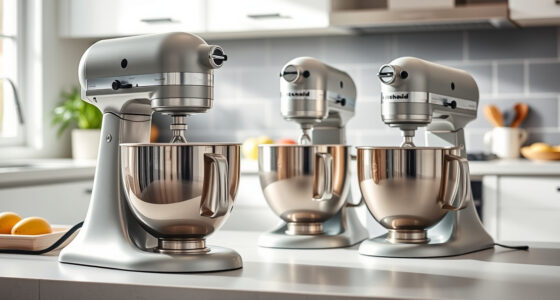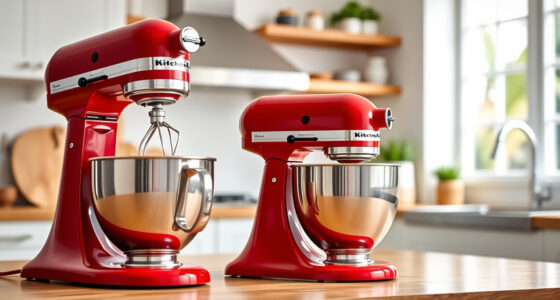

The KitchenAid Artisan Series 5 Quart Tilt Head Stand Mixer is a versatile and durable kitchen appliance, built to handle a wide range of baking and mixing tasks. Proper maintenance ensures it continues to perform at its best, prolonging its lifespan and preventing common issues. This guide provides clear, practical steps for routine cleaning, troubleshooting common problems, and keeping your mixer in top condition.
Whether you’re a seasoned baker or a casual user, understanding how to care for your mixer will help you avoid downtime and costly repairs. Let’s walk through the essential maintenance practices to keep your KitchenAid mixer running smoothly for years to come.
Key Takeaways
| Routine Cleaning | Regular cleaning prevents buildup and maintains performance. |
| Lubrication & Inspection | Periodic lubrication of moving parts extends lifespan. |
| Troubleshooting Common Issues | Identify and fix problems like unusual noises or motor issues. |
| Attachment Care | Proper cleaning and storage of attachments ensure safety and longevity. |
| Safety Tips | Always unplug before maintenance and avoid water contact with motor parts. |

KitchenAid Artisan, 5-Qt Tilt Head Stand Mixer, KSM150PS, Milkshake
- Durable Metal Construction: Built to last with 59 touchpoints
- 5-Quart Stainless Steel Bowl: Large capacity for small or large batches
- Comfortable Handle: Easy to handle and dishwasher safe
As an affiliate, we earn on qualifying purchases.
Routine Cleaning and External Maintenance
- Unplug the mixer before starting any cleaning procedure.
- Remove the flat beater, wire whip, or dough hook and wash them in warm, soapy water. These parts are dishwasher safe, but hand-washing prolongs their lifespan.
- Wipe down the mixer body with a damp cloth. Use a soft brush or compressed air to clean around touchpoints and vents.
- Clean the pouring shield and stainless steel bowl regularly to prevent buildup of residue. Wash the bowl with warm, soapy water and dry thoroughly.
- Inspect the power cord for any damage. Do not use the mixer if the cord is frayed or damaged.
Regular external cleaning keeps your mixer looking good and prevents dust and debris from affecting performance. Always dry all parts thoroughly before reassembling.

KitchenAid KSMMGA Food Grinder Attachment for All KitchenAid Stand Mixers
- Compatibility: Fits all KitchenAid Stand Mixers
- Grinding Plates: Includes fine, medium, and coarse plates
- Sausage Stuffer Tubes: Comes with two sausage stuffer tubes
As an affiliate, we earn on qualifying purchases.
Lubricating Moving Parts & Internal Inspection
The KitchenAid Artisan Series 5 Quart mixer has several moving parts that benefit from occasional lubrication, especially if you notice unusual noises or resistance during operation.
- Unplug the mixer and remove the attachment hub cover if accessible.
- Apply a food-grade lubricant to the gear case and moving joints, following the manufacturer’s guidelines.
- Check the gear case for any signs of wear or debris. If you see buildup or damage, consult a professional for repairs.
- Ensure the tilt-head locking mechanism operates smoothly. If it sticks, lubricate the hinge pin with a small amount of food-safe oil.
Internal inspection and lubrication should be done sparingly—only when necessary—and with caution to avoid voiding warranties or damaging internal components.
Troubleshooting Common Problems
- Unusual Noises: If your mixer makes grinding or rattling sounds, check for debris or misaligned attachments. Unplug, remove the attachment, and inspect the gear mechanism.
- Motor Not Running: Ensure the mixer is properly plugged in and the speed control is set. Reset the circuit breaker if needed.
- Attachments Not Turning: Verify attachments are correctly seated and locked. Clean attachment holes and check for obstruction.
- Overheating: Allow the mixer to cool down if used continuously for long periods. Avoid overloading the bowl with too much mixture.
Address issues promptly to avoid further damage. If problems persist, contact KitchenAid service or a qualified repair technician.
Maintaining Attachments & Storage
Proper care of attachments ensures safety and longevity. Wash all attachments after each use, dry thoroughly, and store in a dry place. For pasta or food grinder attachments, clean thoroughly, especially around blades and rollers, to prevent residue buildup.
Store attachments in their designated cases or containers to prevent damage and loss. Regularly inspect for signs of wear or damage, replacing parts if necessary.
Keep the mixer and attachments in a cool, dry area away from direct sunlight, which can degrade plastics and rubber parts over time.
Safety Tips & Best Practices
- Always unplug the mixer before cleaning or inspecting internal parts.
- Do not immerse the motor housing in water or use abrasive cleaners.
- Use only recommended lubricants and cleaning products to avoid damage.
- Follow manufacturer instructions for attachment use and care.
- Regularly check the power cord and plug for damage to prevent electrical hazards.
Prioritize safety at all times to keep your mixer in optimal condition and prevent accidents.
The Products in This Guide

KitchenAid Artisan Series 5 Quart Tilt Head Stand Mixer
- ✔ Weight: 26 pounds
- ✔ Voltage: 120V
- ✔ Warranty: 1-year limited

KitchenAid Stand Mixer Attachment
- ✔ Weight: 3.6 pounds
- ✔ Color: Silver
- ✔ Warranty: N/A
KitchenAid Artisan Series 5 Quart Tilt Head Stand Mixer
The KitchenAid Artisan Series 5 Quart Tilt Head Stand Mixer is built with durable metal construction, offering 59 touchpoints for thorough mixing. Its tilt-head design provides easy access to the bowl, making cleaning and attachment changes simple. It’s suitable for small or large batches, thanks to its 5-quart stainless steel bowl and 10-speed settings.
Pros:
- Durable metal construction
- Easy tilt-head design
- Wide color selection
- Dishwasher safe attachments
- Powerful 10-speed motor
Cons:
- Heavy to move
- Bulky for small kitchens
- Requires regular cleaning of attachments
Best for: Heavy baking, large batch cooking, versatile mixing needs
Not ideal for: Primarily for users who prefer lightweight or compact mixers
Bottom line: A robust, versatile mixer suited for serious home bakers and large batches.
KitchenAid Stand Mixer Attachment
The KitchenAid Metal Food Grinder attachment expands your mixer’s capabilities, making fresh grinding of meats, vegetables, and nuts easy and efficient. Its durable construction and included accessories, such as multiple grinding plates and sausage stuffer tubes, make it a valuable addition to your kitchen arsenal.
Pros:
- Versatile grinding options
- Easy to attach and clean
- Includes various grinding plates
- Ideal for fresh, healthy ingredients
Cons:
- Requires refrigerator pre-chilling
- Additional storage needed
- Attachment sold separately
Best for: Making fresh ground meat, vegetables, and nuts
Not ideal for: For users not interested in grinding or food prep
Bottom line: A powerful accessory that transforms your mixer into a professional-grade food grinder.
Frequently Asked Questions
How often should I clean my KitchenAid mixer?
Clean your mixer after every few uses, especially the attachments and bowl, to prevent residue buildup and ensure optimal performance.
Can I use the mixer while it’s plugged in during cleaning?
No, always unplug the mixer before cleaning or performing maintenance to prevent electric shock or accidental operation.
What should I do if my mixer makes unusual noises?
Unplug the mixer and inspect the attachments and gear case for debris or misalignment. Lubricate moving parts if necessary and consult a technician if noise persists.
Is it safe to put the attachments in the dishwasher?
Most attachments like the flat beater and wire whip are dishwasher safe, but hand-washing prolongs their lifespan. Always check the manufacturer’s instructions.
How do I troubleshoot if the mixer isn’t turning on?
First, ensure it’s plugged in and the outlet is functional. Check the circuit breaker, and reset if needed. If it still doesn’t work, contact support.
Keep Your KitchenAid Mixer Running Smoothly with Proper Care
Consistent maintenance and proper handling are key to extending the life of your KitchenAid stand mixer. Regular cleaning, timely inspection, and correct attachment use will ensure it continues to perform reliably for all your baking projects. Remember to prioritize safety and consult professional repair services when needed. With these simple steps, your mixer will remain a trusted kitchen companion for years to come.
Affiliate disclosure: As an Amazon Associate we earn from qualifying purchases. Prices and availability are accurate as of the time of publishing.