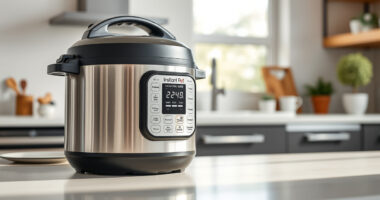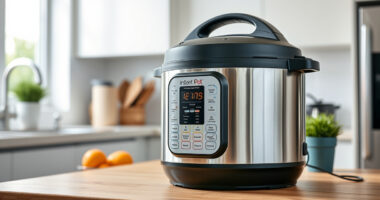

If your Instant Pot 4QT RIO Mini 7-in-1 Multi-Cooker keeps showing a burn error, it can be frustrating and disrupt your cooking plans. This error typically occurs when the cooker detects that food is sticking or burning at the bottom, or if there’s an issue with the sealing or internal components. Fortunately, most burn errors can be fixed with a few simple troubleshooting steps, ensuring your device functions safely and efficiently again.

Get kitchen staples and gadgets delivered free — and shop member deals
- Fast, free delivery on millions of items
- Access to Prime Big Deal Days deals on October 6–7
- Prime Video, Amazon Music and more included
Below, you’ll find a clear, step-by-step guide to identify the cause and resolve a persistent burn error on your Instant Pot. Always follow safety precautions and consult your user manual if needed.
Key Takeaways
| Common Cause | Food sticking or burning at the bottom |
| Key Fix | Ensure proper sealing and cleaning |
| Preventive Tip | Add enough liquid and avoid overfilling |
| Safety Reminder | Always unplug before cleaning or inspecting |
Step 1: Turn Off and Unplug the Instant Pot
- Press the ‘Cancel’ button to stop the cooking process.
- Unplug the device from the power outlet.
Step 2: Release Pressure Safely
Allow the pressure to release naturally or carefully use the quick-release method, following your model’s instructions. Never force open the lid while under pressure.
Step 3: Check and Clean the Inner Pot
- Remove the inner pot and inspect the bottom for burnt food or residue.
- Wash the inner pot thoroughly with warm, soapy water and a non-abrasive sponge.
- Dry completely to prevent moisture from causing issues during next use.
Step 4: Inspect and Replace the Sealing Ring
Remove the sealing ring from the lid and check for cracks, tears, or deformation. If damaged, replace with a genuine replacement (see recommended product below). Clean the ring with warm water and mild soap.
Step 5: Ensure Proper Sealing and Add Enough Liquid
- Securely fit the sealing ring back onto the lid, ensuring it’s properly seated.
- Check that the steam valve is clean and in the correct position.
- Add at least 1 cup of liquid for most recipes, to prevent burning and ensure proper pressure buildup.
The Products in This Guide

Instant Pot 4QT RIO Mini 7-in-1 Multi-Cooker
- ✔ Weight: 10 lbs
- ✔ Dimensions: 11 x 11 x 11 inches
- ✔ Warranty: 1 year

AOZITA Steamer Basket
- ✔ Weight: 1.2 lbs
- ✔ Dimensions: 9 x 9 x 4 inches
- ✔ Color: Silver
Instant Pot 4QT RIO Mini 7-in-1 Multi-Cooker
The Instant Pot 4QT RIO Mini 7-in-1 Multi-Cooker is a versatile and compact device perfect for small households. It combines pressure cooking, slow cooking, sautéing, steaming, and more in a space-saving design.
Pros:
- Space-saving size
- Multiple cooking functions
- Easy to clean
- Modern design
Cons:
- Limited capacity for larger meals
- May require extra attention for sealing
Best for: Small families, singles, students
Not ideal for: Cooking for larger groups or big batch meals
Bottom line: A perfect compact multi-cooker for small servings and versatile cooking needs.
AOZITA Steamer Basket
The AOZITA Steamer Basket offers a two-tier, stackable design that maximizes your Instant Pot’s capacity, making it easy to cook multiple foods simultaneously without mixing flavors.
Pros:
- Two tiers for multi-food cooking
- Made of stainless steel
- Easy to clean
- Fits 6 and 8 qt models
Cons:
- Requires additional space in the pot
- May take longer to cool down
Best for: Steaming vegetables, eggs, and seafood
Not ideal for: For recipes requiring direct contact with liquids
Bottom line: Enhance your Instant Pot’s versatility with this efficient steamer basket.
Frequently Asked Questions
What causes the burn error on my Instant Pot?
The burn error usually occurs when food sticks to the bottom of the inner pot, or if there isn’t enough liquid for pressure buildup. It can also happen if the sealing ring isn’t properly seated or if the device is overfilled.
How do I prevent the burn error from happening?
Ensure you add enough liquid to generate steam, avoid overfilling the pot, and make sure the sealing ring is properly installed. Stirring ingredients before cooking can also reduce sticking.
Can I still cook if my Instant Pot shows a burn error?
Yes, but you should first troubleshoot by cleaning, checking the seal, and adjusting ingredients. Resetting the cooker after fixing the issue may allow you to continue cooking without errors.
When should I replace the sealing ring?
Replace the sealing ring if it shows cracks, tears, or persistent odors. Regular replacement ensures optimal sealing and safety during pressure cooking.
Master the Burn Error Fixes for Peace of Mind
By following these simple troubleshooting steps, you can resolve the burn error on your Instant Pot and enjoy safe, efficient cooking. Regular maintenance, like cleaning the sealing ring and ensuring proper liquid levels, will help prevent future issues and keep your device performing at its best.
Affiliate disclosure: As an Amazon Associate we earn from qualifying purchases. Prices and availability are accurate as of the time of publishing.
NFL season / tailgating Picks
team gear
As an affiliate, we earn on qualifying purchases.